Vantage Fit lets your company organize wellness events -- from yoga sessions and step challenges to health workshops and team outings. If your organization has events enabled, you can discover upcoming events, see the details, and RSVP right from the app.
Where to Find Events
- Tap the Community tab at the bottom of the app
- Look for the Events section
You'll see a calendar view showing upcoming events. Dates with scheduled events are highlighted so you can quickly spot what's coming up.
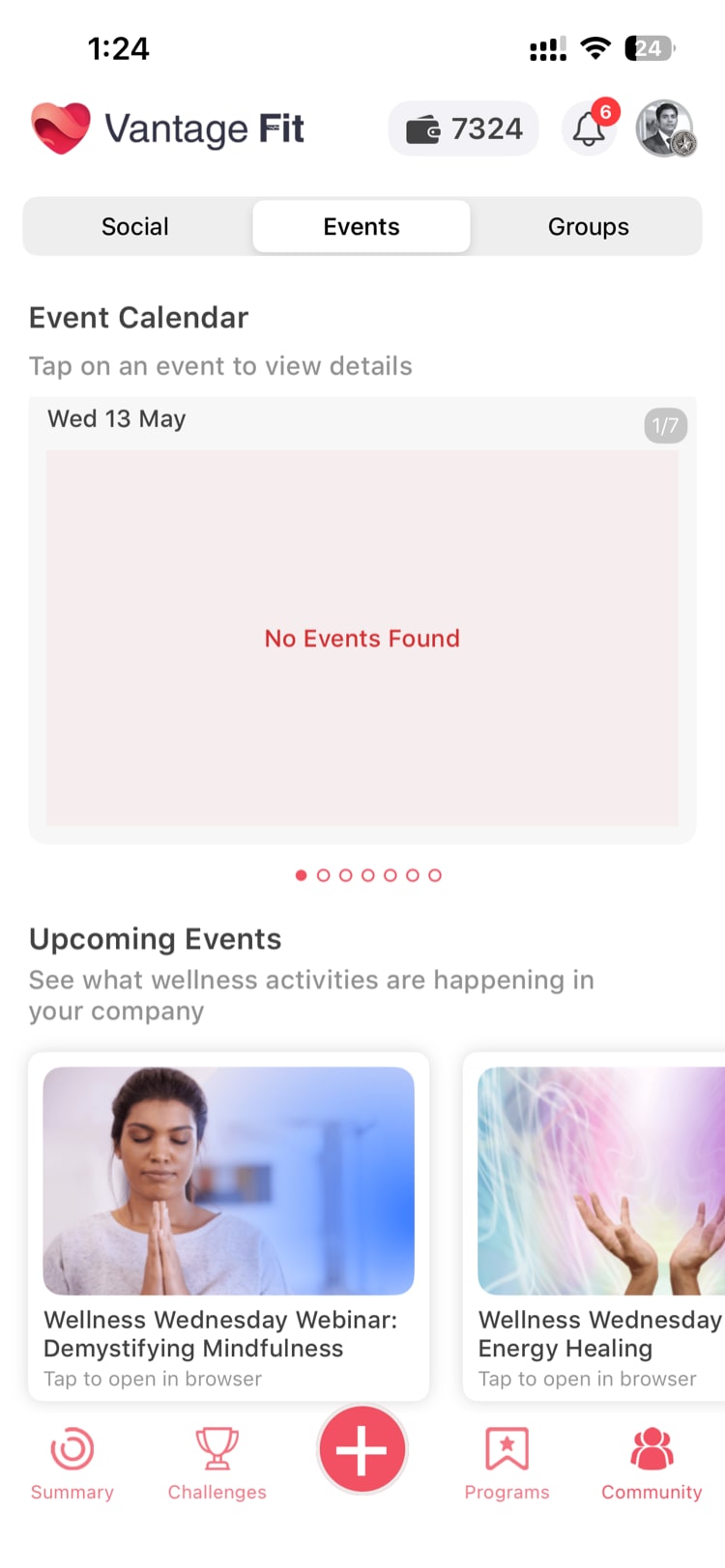
Note: If you don't see an Events section in the Community tab, your company may not have enabled this feature. Check with your HR team.
Viewing Event Details
Tap on any event to see its full details:
- Title -- The name of the event
- Description -- What the event is about, what to expect, and any preparation needed
- Benefits -- Why you should attend and what you'll gain from participating
- FAQ -- Common questions about the event, answered upfront
- Venue -- Where the event is taking place (physical location or virtual meeting link)
- Date and Time -- When the event starts and ends
- Participants -- How many people have RSVPed and, in some cases, who they are
How to RSVP
At the bottom of the event detail screen, you'll find the RSVP options:
- Tap Yes, No, or Maybe to indicate your attendance
- Confirm your selection
That's it -- your RSVP is recorded instantly.
After You RSVP
- You'll receive an email confirmation after submitting your RSVP
- The event will appear in your personal event list with your RSVP status
- You may receive reminder notifications as the event date approaches
- You can change your RSVP at any time before the event by going back to the event detail and selecting a different option
Tip: RSVP early, even if you're unsure -- you can always change to "Maybe" or "No" later. Early RSVPs help event organizers plan effectively.
Targeted Events
Not all events are visible to everyone. Your HR admin can target events to specific groups based on:
- Department -- Only certain teams or departments see the event
- Location/Country -- Region-specific events for offices in different locations
- Challenge participants -- Events tied to a specific wellness challenge
If a colleague mentions an event you can't find, it may be targeted to a group you're not part of. Check with your HR team for clarification.
Types of Events You Might See
Companies use the events feature for a wide range of wellness activities:
- Fitness sessions -- Yoga, Zumba, meditation, or group workouts
- Health workshops -- Nutrition talks, mental health awareness, ergonomics sessions
- Team activities -- Walking clubs, running groups, cycling events
- Wellness challenges kickoffs -- Launch events for new wellness programs
- Health screenings -- On-site or virtual health check-up registrations
- Social events -- Team-building outings with a wellness angle
Managing Your Events
To see all events you've RSVPed to:
- Go to the Community tab
- Look for My Events or filter by events you've responded to
- View your upcoming commitments in one place
This makes it easy to keep track of what you've signed up for without scrolling through the full calendar.
Need more help? Contact support from Settings → Help in the app.
Related articles: