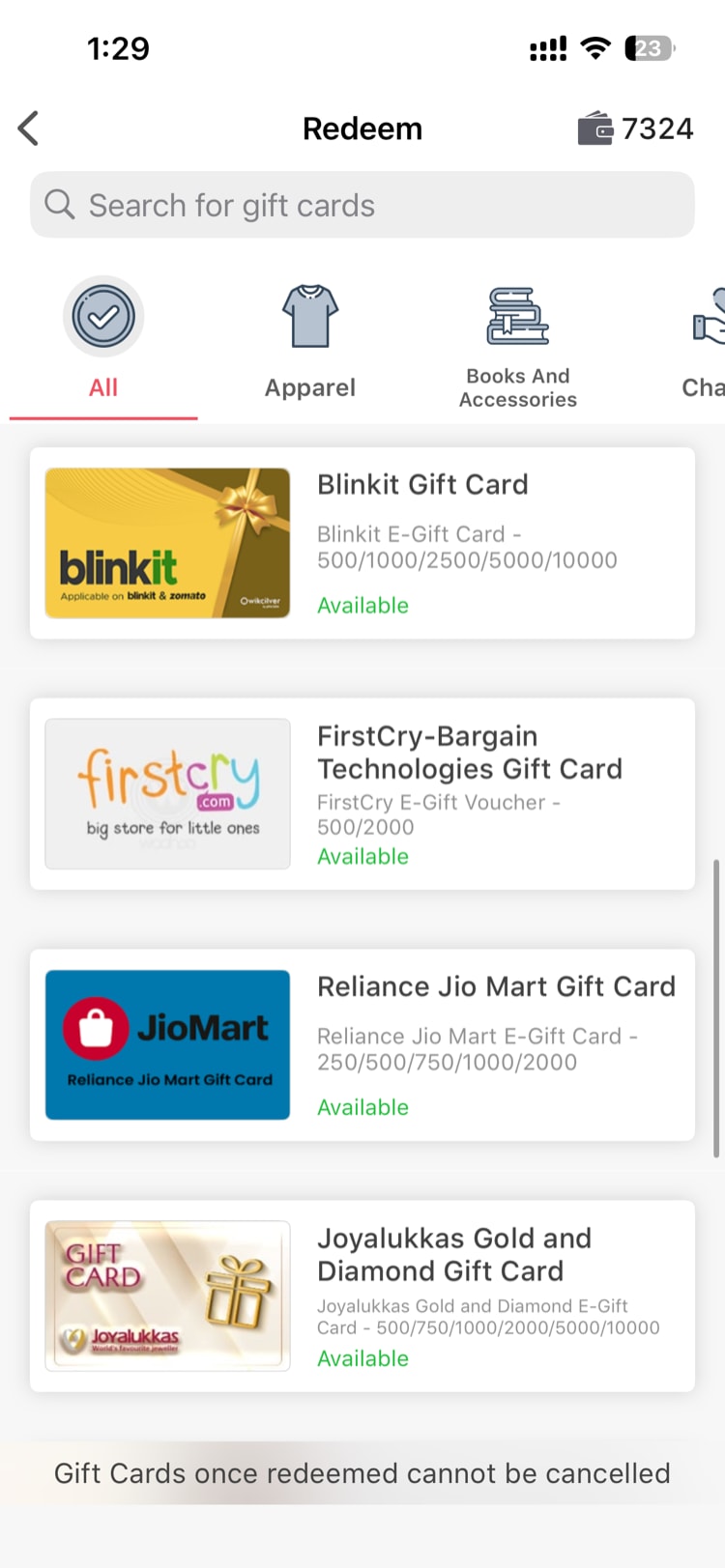
Your earned points can be redeemed for real gift cards from popular brands. The entire process happens within the app — browse, pick, confirm, and your gift card is delivered.
How to Redeem
- Tap the Wallet icon to open your wallet.
- Tap Redeem Points.
- Browse the gift card catalog, organized by category (shopping, food, entertainment, etc.).
- Select a gift card you want.
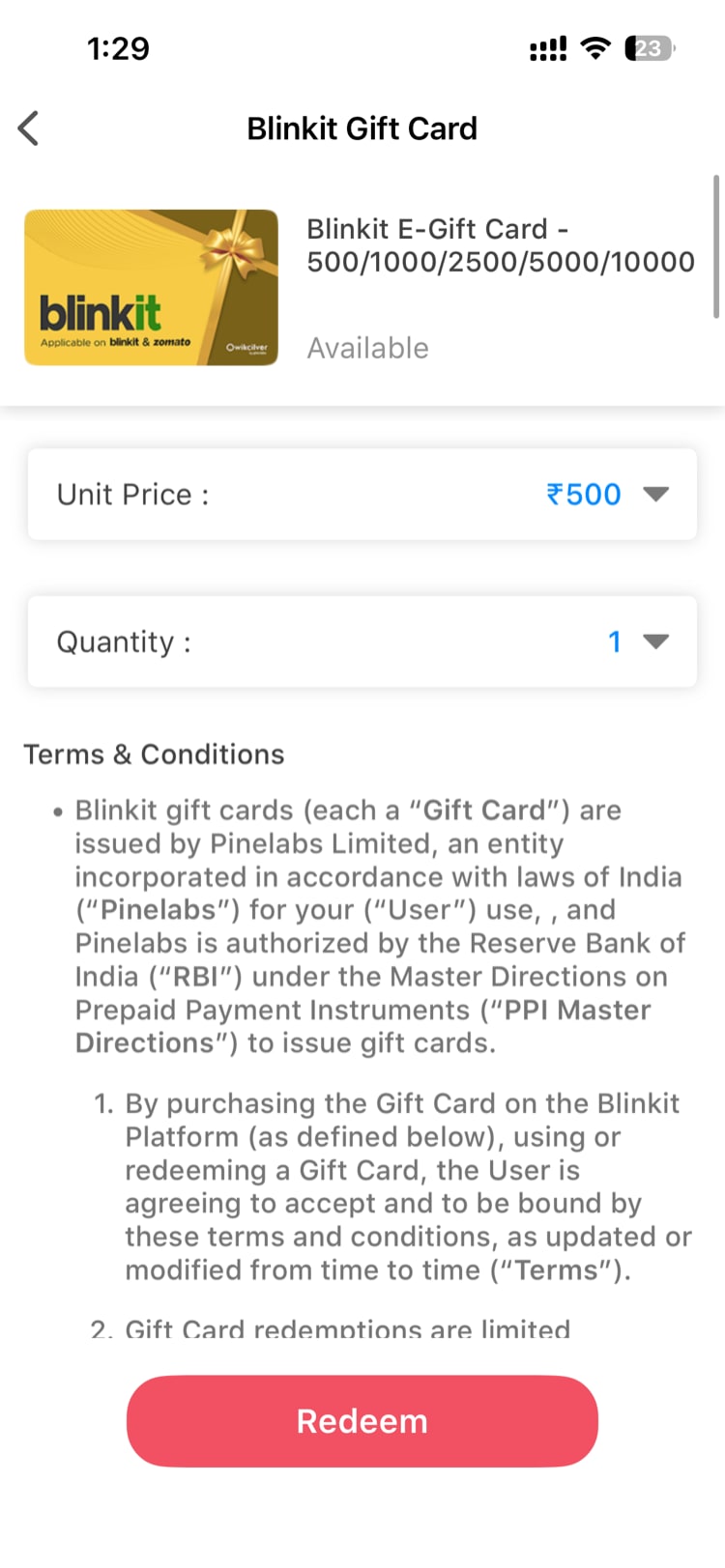
- Choose a denomination (the available amounts depend on the card and your point balance).
- Review the details and tap Confirm.
- Your points are deducted immediately from your balance.
- The gift card is delivered to you both in-app and via email.
Viewing Your Purchased Gift Cards
After redeeming, you can access your cards anytime:
- Go to your Wallet.
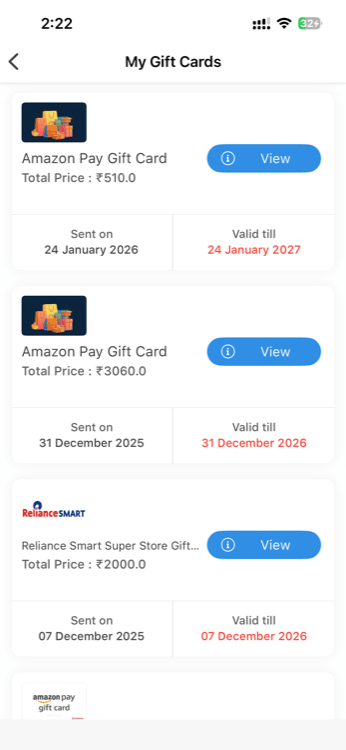
- Tap My Gift Cards.
- Browse your purchased cards — each one shows the brand, denomination, redemption date, and card details.
Tip: Some gift cards are delivered as digital codes. Check your email if you need the code — it's sent to the email address associated with your account.
Important Things to Know
- Points are shared with VantageCircle R&R. Your wallet balance includes points from both Vantage Fit and any recognition rewards. You can redeem from the combined total.
- Denomination options vary. Different gift cards offer different denomination tiers. Higher-value cards require more points.
- Redemption is instant. Once confirmed, the transaction is processed immediately. There's no waiting period.
- Redemptions are final. Once you confirm a redemption, it cannot be reversed.
Checking Your Balance Before Redeeming
Before starting the redemption flow, check your wallet balance to make sure you have enough points for the card you want. The app will also prevent you from selecting a denomination that exceeds your balance.
Need more help? Contact support from Settings → Help in the app.
Related articles: