Every time you complete challenge tasks, hit milestones, or maintain streaks, you earn points in Vantage Fit. Here's where to find your balance and what the numbers mean.
Quick Access: The Wallet Icon
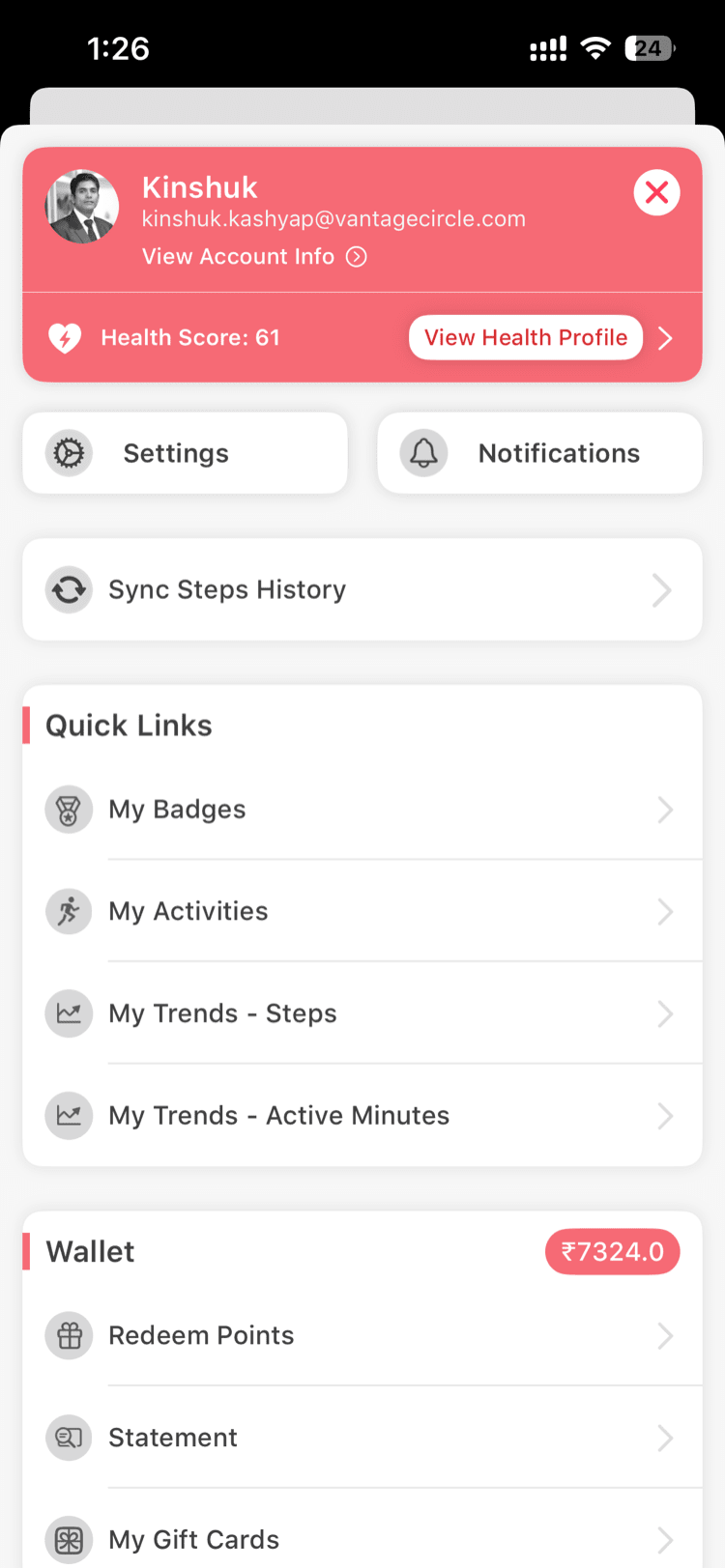
The fastest way to check your points is the Wallet icon in the header bar at the top of the app. You'll see it on both iOS and Android. Tap it to go straight to your Wallet screen.
From the Drawer Menu
You can also access your points through the navigation:
- Tap the menu icon (hamburger menu or your profile picture) to open the drawer
- Look for the Wallet section
- Tap to open your full Wallet view
What the Wallet Shows
Your Wallet screen displays several pieces of information:
Total Balance
Your current points balance -- the total number of points you've accumulated and haven't spent. This is the main number you'll see front and center.
Monetary Value (If Enabled)
Some companies configure a monetary equivalent for points. If your company has this enabled, you'll see a dollar/currency value alongside your points balance. For example, "5,000 points = $50."
This means your points have real redeemable value, typically through the VantageCircle rewards catalog.
Conversion Rate (If Enabled)
If monetary value is active, the Wallet may also display the conversion rate -- how many points equal one unit of currency. For example, "100 points = $1."
Note: Not all companies enable monetary value or conversion rates. If you only see a points number without a currency equivalent, your company may use points purely as a recognition metric or have a different redemption process.
Custom Points Label
Your company may have customized the name of points to fit their brand. Instead of "points," you might see "wellness coins," "fit bucks," or another custom label. The functionality is the same regardless of the name -- only the label differs.
How Points Are Earned
Points come from various activities within Vantage Fit:
- Challenge task completion -- completing daily or weekly tasks
- Milestone achievements -- hitting step targets, streak counts, or distance goals
- Challenge completion -- finishing a challenge above the minimum threshold
- Leaderboard placement -- top performers in competitive challenges
- Daily activity bonuses -- some companies award points for basic daily engagement
The exact point values depend on how your HR admin has configured each challenge and activity.
Spending Your Points
How you spend points depends on your company's setup:
- If your company uses VantageCircle's rewards platform, points can typically be redeemed for gift cards, merchandise, or experiences through the rewards catalog
- Your HR team may also run periodic point-based auctions or raffles
Tip: Check with your HR team about your company's specific redemption options. The available redemption methods vary based on your company's VantageCircle plan.
Points History
In your Wallet, you may also see a transaction history showing:
- Points earned (with the source -- which challenge or activity)
- Points spent or redeemed
- Date and time of each transaction
This helps you keep track of where your points come from and where they go.
Need more help? Contact support from Settings → Help in the app.
Related articles: