Training Plans are personal wellness programs from Vantage Fit's curated library. They're structured, multi-week programs — like "Couch to 5K" — that guide you through a progressive plan of walks, jogs, articles, and videos. Unlike challenges (which are created by your HR admin), Training Plans are pre-built by Vantage Fit's wellness team and available for you to start on your own.
What's Available
Vantage Fit offers a library of managed training plans (currently 9 plans) covering different fitness goals and levels. You'll find plans for:
- Getting started with running (e.g., Couch to 5K)
- Building a walking habit
- General fitness improvement
- Wellness education programs
Each plan includes a mix of physical activities, educational articles, and wellness videos — designed to keep you engaged and learning throughout the program.
Note: Training Plans are only available if your company has Training Programs enabled. You'll find them in the Programs tab. If you don't see this tab, the feature isn't activated for your organization. Training Plans are also not available in Lite Mode.
How to Start a Training Plan
Starting a plan takes just a few minutes:
- Browse available plans — open the Programs tab and explore the Training Plans section.
- Select a plan — tap on any plan to see its description, duration, and what's included.
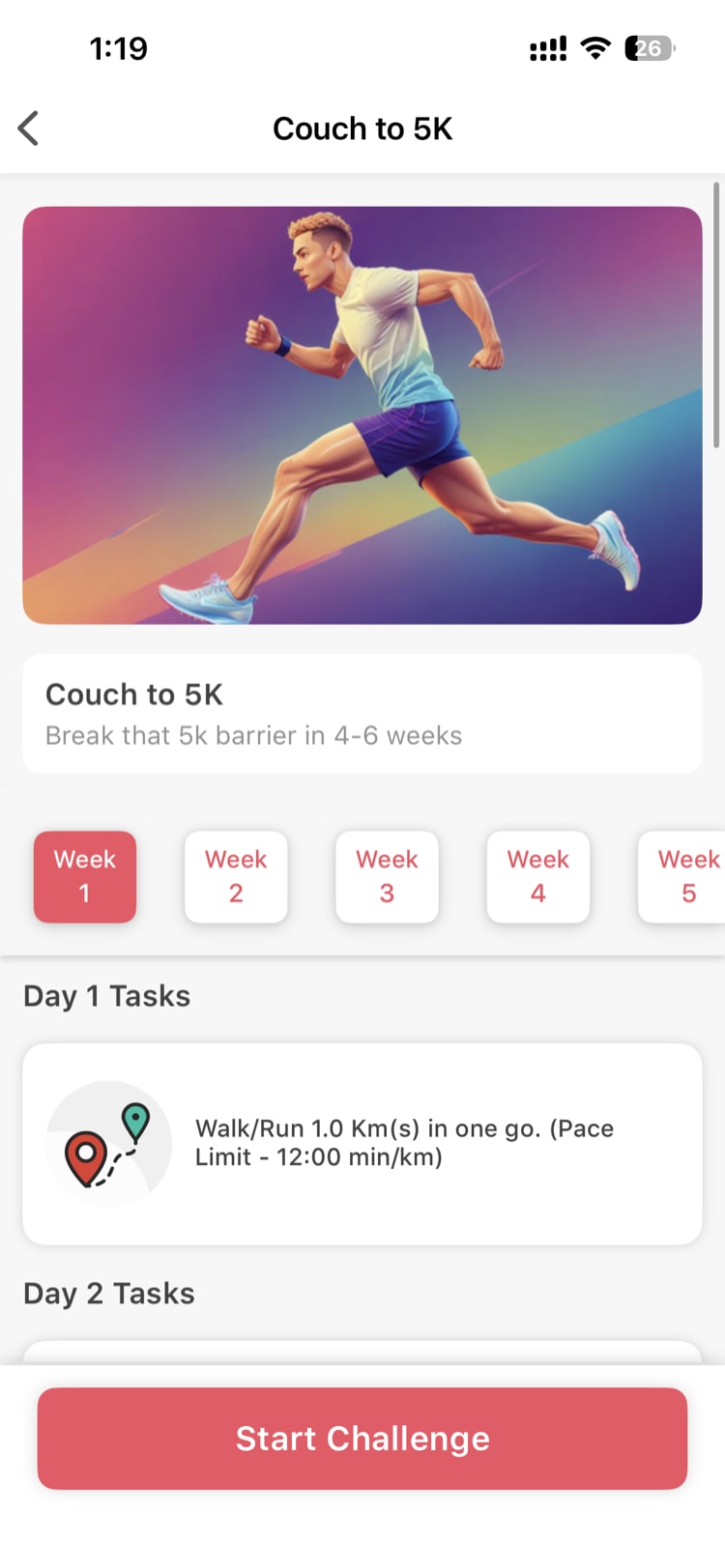
Answer 3 configuration questions — the system needs to personalize the plan for you:
- How many weeks do you want the program to run?
- How many training days per week do you prefer?
- Which days of the week will you train?
Review your personalized plan — the system generates a week-by-week schedule tailored to your answers. You'll see:
- Activities get gradually more challenging each week
- Easier recovery periods are built in to prevent burnout
- A mix of walks, jogs, educational content, and rest days
Tap "Start Challenge" — your plan begins the following Monday as a personal challenge.
Tip: Choose a realistic number of training days. It's better to commit to 3 days and actually do them than to set 6 days and fall behind by week two.
How Training Plans Work Day to Day
Once your plan starts:
- It appears as a personal challenge in your Challenges tab
- Each day shows your scheduled activities (a walk, a jog, an article to read, a video to watch)
- Activities get progressively harder over time — the system builds your fitness gradually
- Complete each day's tasks just like you would in any challenge
- Your progress is tracked and visible in the plan timeline
What Makes Training Plans Different from Challenges
| Training Plans | Challenges | |
|---|---|---|
| Created by | Vantage Fit (pre-built library) | Your HR admin |
| Participation | Individual (personal) | Individual or team |
| Personalization | You choose weeks, days, schedule | Admin sets the parameters |
| Content | Progressive workouts + articles + videos | Tasks and activities |
| Leaderboard | No (personal journey) | Yes (competitive) |
| Rewards | Completion satisfaction | Points, certificates, badges |
Gradual Progression and Recovery
The science behind Training Plans is built on two principles:
- Gradual progression — each week is slightly more demanding than the last, so your body adapts and improves over time
- Built-in recovery — the plan includes easier recovery periods to prevent burnout and reduce injury risk
You don't need to think about any of this — the system handles the programming. Just show up and complete your daily tasks.
Need more help? Contact your HR admin or reach out to support via the Help option in the app menu.
Related articles: