There are four ways to get employees into Vantage Fit. Which method is right for you depends on your company's size, IT setup, and how much automation you want.
Method 1: CSV Upload from the Dashboard
This is the most common method for small-to-mid-size rollouts or one-time additions.
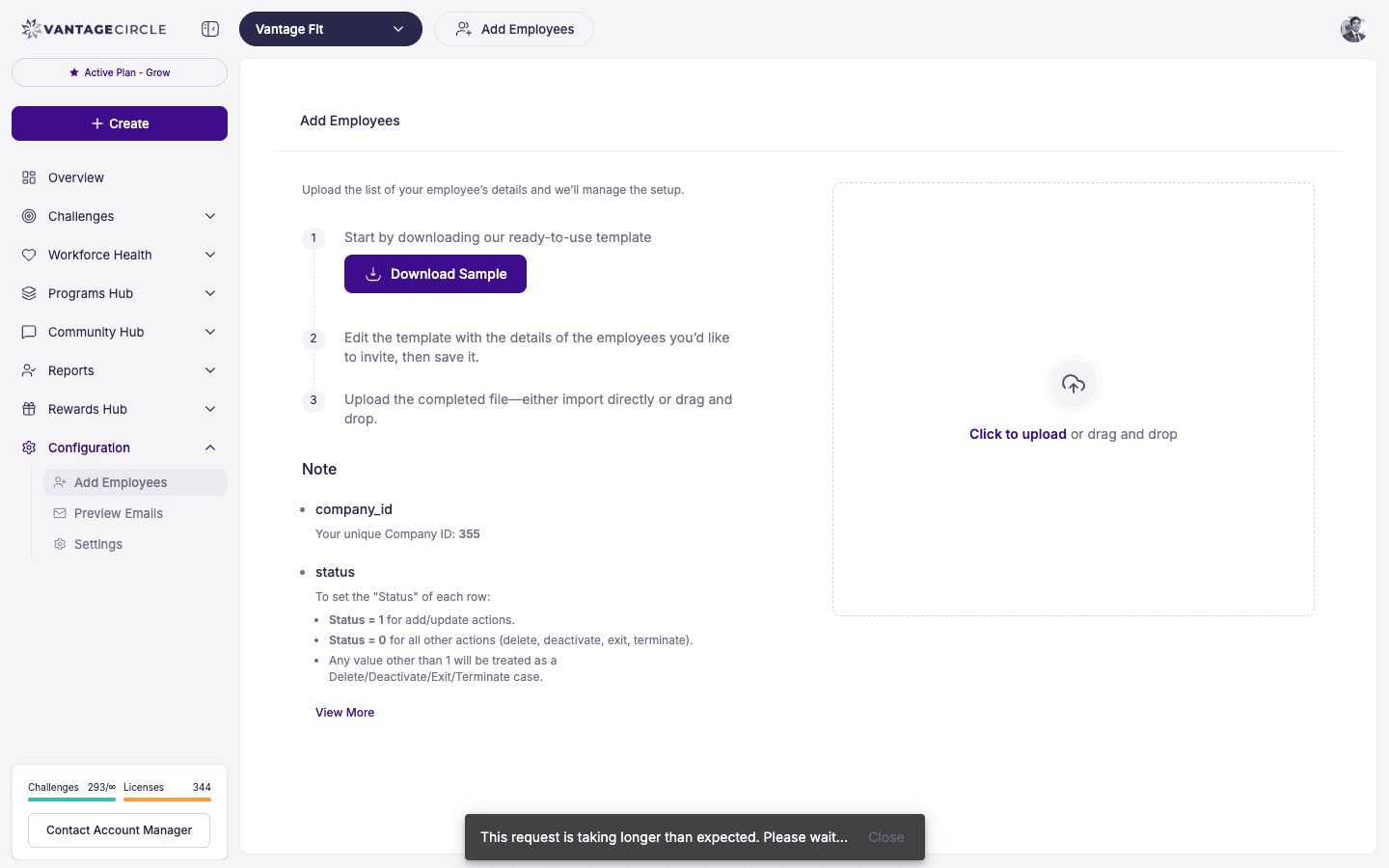
- Log in to the Vantage Fit Admin Dashboard.
- Go to Configuration in the left sidebar.
- Click Add Employees.
- Download the CSV template provided on the page.
- Fill in employee details — name, email, department, country, and any other required fields.
- Upload the completed CSV file.
- Review the preview for any errors or duplicates.
- Confirm the upload.
Tip: Make sure email addresses are work emails that match your company's domain. Employees will use these to sign in.
Note: If any rows have errors (missing fields, duplicate emails), the system will flag them. You can fix and re-upload just the failed rows.
Method 2: SFTP Sync (Automated)
For companies that want to automate employee data syncing on a regular schedule.
- Your IT team sets up an SFTP connection with your Vantage Fit account manager.
- Employee data files are placed in the designated SFTP folder on a schedule (daily, weekly, etc.).
- Vantage Fit automatically picks up the file and syncs new employees, updates, and deactivations.
This method is fully managed by your Vantage Fit account manager during onboarding. Once set up, no manual intervention is needed.
Note: SFTP sync setup requires coordination with your IT team and your Vantage Fit account manager. Reach out to them to get started.
Method 3: HRIS Integration
If your company uses an HRIS platform, Vantage Fit can pull employee data directly from it.
Supported platforms include:
- Workday
- DarwinBox
- ADP
- SAP SuccessFactors
- And other major HRIS systems
The integration is set up by the Vantage Fit team during your onboarding. Once connected, new hires, terminations, and department changes flow automatically into Vantage Fit.
Tip: HRIS integration is the best option for large enterprises. It keeps your employee roster always up to date without any manual work.
Method 4: Self-Registration
If enabled for your company, employees can register themselves.
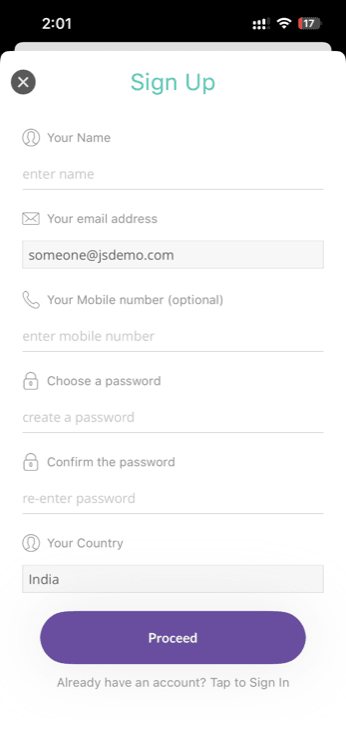
- Employee downloads the Vantage Fit app or visits the web portal.
- They enter their work email address.
- The system matches the email domain to your company.
- Employee completes registration and starts using the app.
Self-registration must be enabled by your Vantage Fit account manager. Not all companies use this method.
How Does Billing Work?
Understanding when an employee counts toward your license is important:
- License is counted from first login, not from when the employee is uploaded.
- If you upload 1,000 employees via CSV but only 600 log in, you are billed for 600 active users (not 1,000).
- Employees who are uploaded but never log in are not billed.
- Exception: If your company has a bulk contract (fixed license count), billing is based on the contracted number regardless of logins.
Tip: This means you can safely upload your entire employee roster without worrying about billing for people who haven't started using the app yet.
Note: "Active for billing" (logged in at least once) is not the same as the "Active Users" KPI on the admin dashboard — that's an engagement metric showing employees who've used the app recently. They're two different counts. For licence changes, contact your account manager.
Quick Comparison
| Method | Best For | Setup By | Ongoing Effort |
|---|---|---|---|
| CSV Upload | Small rollouts, one-time adds | HR Admin (self-serve) | Manual each time |
| SFTP Sync | Automated regular syncing | IT + Vantage Fit account manager | None after setup |
| HRIS Integration | Large enterprises with HRIS | Vantage Fit team | None after setup |
| Self-Registration | Open enrollment programs | Vantage Fit account manager (to enable) | None |
Need more help? Contact your Vantage Fit account manager or email support@vantagecircle.com.
Related articles: