An E-Marathon is a virtual marathon challenge where employees' steps are converted to distance on the leaderboard. It is a simple, engaging format that works well for company-wide virtual marathon events — employees walk or run as they normally would, and their accumulated steps show up as kilometers (or miles) on the leaderboard.
When to Use an E-Marathon
- You want to run a virtual marathon event — a fun, themed distance challenge.
- You want a format where progress feels tangible — seeing "42 km" is more motivating than "42,000 steps."
- You want a simple setup with no weekly themes, multiple tasks, or complex scoring.
- You want to align with an event like a company fitness week, health month, or global wellness day.
How E-Marathons Work
- Steps converted to distance — the app takes each employee's step count and converts it to kilometers or miles using a fixed ratio.
- Default conversion: 1,000 steps = 1 km — you can customize this ratio during setup.
- Leaderboard shows distance — participants are ranked by total distance covered, displayed in km or miles.
- One implicit task — walk or run. There are no separate tasks to configure, no weekly themes, and no target thresholds.
- Cumulative, not daily — there is no streak mechanic. Steps accumulate over the full challenge period.
Note: Distance is calculated from step count, not GPS. Employees do not need to use GPS workouts or run specific routes. Their regular daily steps are automatically counted.
Step-by-Step Setup
Step 1: Start the Wizard
- Log in to the Vantage Fit Admin Dashboard.
- Go to Create Challenge in the sidebar.
- Select E-Marathon as the format.
Step 2: Basic Details
- Challenge name — lean into the marathon theme: "Company Marathon 2026," "Walk Across India," or "50K Challenge."
- Description — explain the concept: "Your daily steps are converted to distance. Walk your way through a virtual marathon!"
- Challenge image — use a marathon-themed banner to set the tone.
- Start date and end date — E-Marathons work well at any length, but 2-4 weeks gives enough time for meaningful distance accumulation.
- Privacy — Public (all employees) or Private (target audience only).
Step 3: Configure the Distance Conversion
This is the key setting unique to E-Marathons:
- Steps-to-distance ratio — the default is 1,000 steps = 1 km. You can adjust this number up or down.
- Distance unit — choose km or miles for the leaderboard display.
Some examples to help you decide:
| Ratio | 10,000 steps/day = | Over 30 days = |
|---|---|---|
| 1,000 steps = 1 km | 10 km/day | 300 km |
| 1,500 steps = 1 km | 6.7 km/day | 200 km |
| 800 steps = 1 km | 12.5 km/day | 375 km |
Tip: Stick with the default (1,000:1) unless you have a specific reason to change it. Employees intuitively understand "10,000 steps = 10 km" and the math is easy to follow.
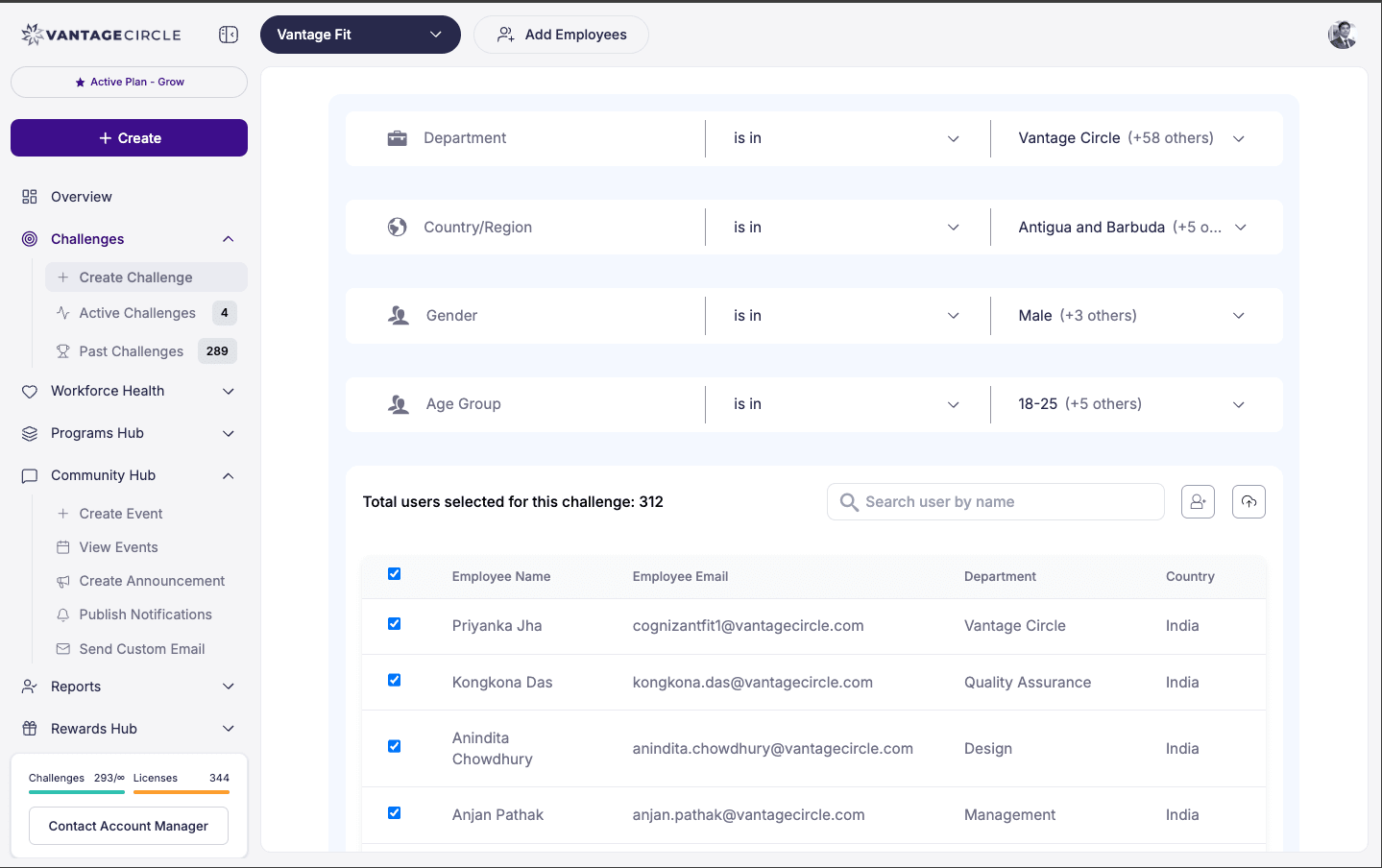
Step 4: Audience
Choose who participates:
- All employees — company-wide virtual marathon.
- Filtered — restrict by department, country, city, or other attributes.
When you apply any filter, the challenge is automatically marked as Private.
Step 5: Review and Publish
That is all the configuration needed. E-Marathons are intentionally simple. Review your settings and click Publish.
After Publishing
- Add participants — individually or via CSV bulk upload.
- Send invitations — email employees with the marathon theme and dates.
- Monitor the leaderboard — watch distance accumulate across your organization.
- Share milestones — send a notification when the company collectively hits a round number ("We just passed 5,000 km as a company!").
Best Practices
- Theme it like a real event. Give it a marathon feel — a strong name, a compelling banner image, and a clear "finish line" distance goal. "Walk Across India" or "Race to the Moon (384,400 km as a company)" makes it memorable.
- Announce the total company distance. E-Marathons are great for collective goals. Track and share the combined distance of all participants — it creates a shared sense of accomplishment.
- Keep the default ratio. 1,000 steps = 1 km is intuitive and easy for employees to calculate in their heads. Changing the ratio can cause confusion.
- Run during high-engagement periods. E-Marathons work best as event-based challenges tied to health weeks, company anniversaries, or seasonal campaigns.
- Combine with social sharing. Encourage employees to post their progress on the social feed. Seeing "I just hit 100 km!" inspires others to keep going.
How It Compares to Other Formats
| Feature | E-Marathon | Race Challenge | Streak Challenge |
|---|---|---|---|
| Leaderboard metric | Distance (km/miles) | Total steps | Days completed |
| Step conversion | Yes (configurable) | No (raw steps) | No (pass/fail daily) |
| Daily target | No | No | Yes |
| Complexity | Simple | Simplest | Simple |
| Best for | Marathon events, distance goals | Quick competitions | Daily habit building |
Need more help? Contact your Vantage Fit account manager or email support@vantagecircle.com.
Related articles: