You can award points to employees in bulk by uploading a CSV file through the Reward Hub. Points appear in employees' wallets immediately after processing.
Uploading Points
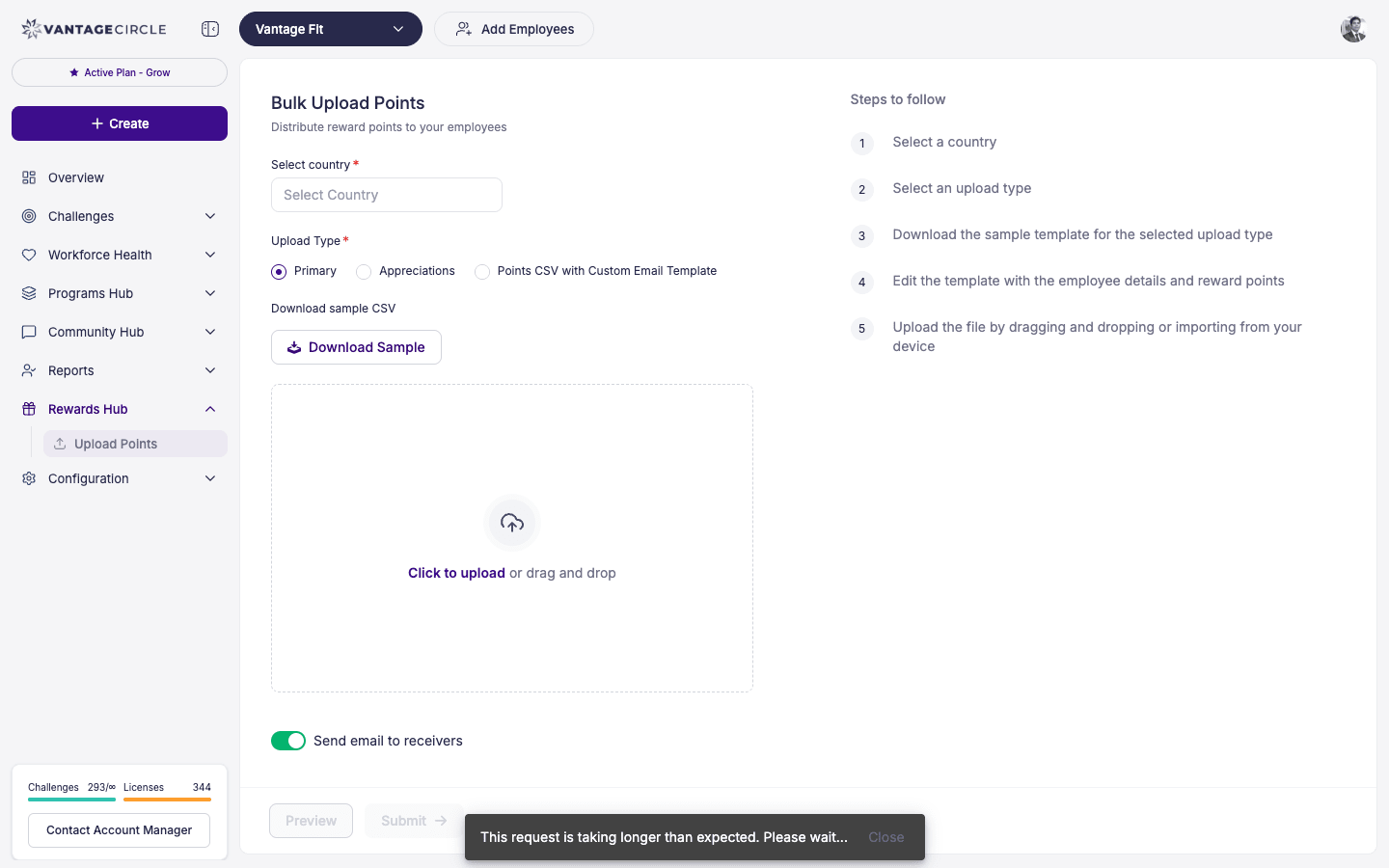
- Log in to the Vantage Fit Admin Dashboard.
- Go to Reward Hub in the left sidebar.
- Click Upload Points.
- Download the CSV template provided on the page.
- Fill in the template with:
- Employee email addresses.
- Number of points to award each employee.
- Upload the completed CSV file.
- Review the preview — the system shows which employees will receive points and the total points being distributed.
- Click Submit.
OTP Verification
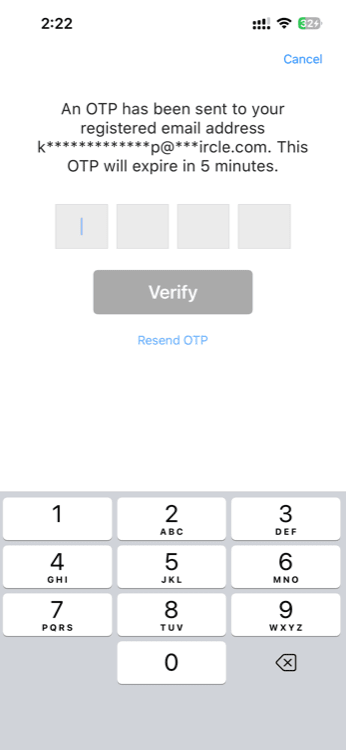
For security, point uploads require OTP (One-Time Password) verification.
- After submitting the CSV, the system sends an OTP to your registered admin email.
- Enter the OTP on the verification screen.
- Once verified, the points upload is approved and processed.
Note: The OTP step prevents unauthorized point distributions. Only the admin who initiated the upload can verify it.
After Processing
Once the OTP is verified and processing completes:
- Points appear in each employee's wallet immediately.
- Employees receive a notification about the points they received.
- The transaction is logged in the Transaction Report for auditing.
CSV Format
The CSV template typically includes these columns:
| Column | Description |
|---|---|
| Employee's registered email address. | |
| Points | Number of points to award. |
Tip: Double-check email addresses before uploading. Points awarded to the wrong email cannot be easily reversed.
Best Practices
- Use the official template. Download it fresh each time to avoid format issues.
- Verify the total. Before submitting, check the preview total to make sure it matches your intended distribution.
- Keep records. Export the Transaction Report after each upload for your records.
- Coordinate with your account manager. If you are doing a large point distribution (e.g., challenge rewards for thousands of employees), let your account manager know in advance.
- Time it right. Upload points shortly after a challenge ends so winners receive their rewards promptly.
Need more help? Contact your Vantage Fit account manager or email support@vantagecircle.com.
Related articles: