Vantage Fit can estimate your heart rate using just your phone's camera -- no wearable device required. Here's how to take a reading and what to keep in mind.
How to Take a Measurement
- Tap the Plus (+) button on the Summary tab
- Select Measure heart rate from the menu
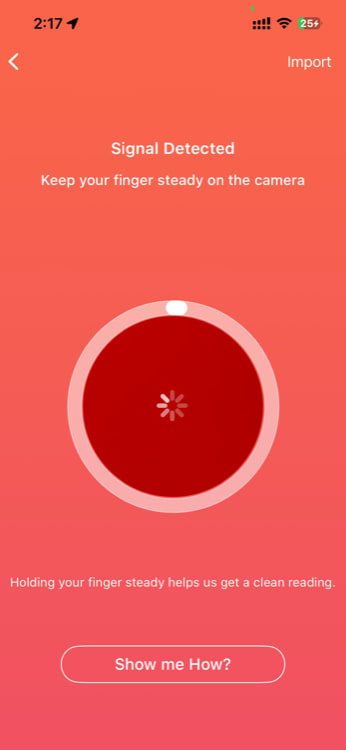
- Place your fingertip gently over your phone's rear camera lens
- Keep your finger still and steady -- don't press too hard or too lightly
- Wait for the app to process the reading (usually 15-30 seconds)
- Your heart rate appears on screen when the measurement is complete
How It Works
Your phone's camera detects your pulse through your fingertip. It's the same basic method used by smartwatches and fitness trackers.
This technique is called a technique called pulse detection -- the same basic principle used by many smartwatches and fitness trackers.
Tips for an Accurate Reading
- Stay still -- Movement disrupts the clear reading. Sit down and rest your hand on a flat surface
- Use your index finger -- It tends to give the most consistent readings
- Cover the camera fully -- Your entire fingertip should cover the lens with no gaps
- Moderate pressure -- Press gently but firmly. Too much pressure restricts blood flow and skews the reading. Too little and the camera can't detect the pulse.
- Wait until you're at rest -- Take the measurement after sitting for at least 2-3 minutes for a resting heart rate. Measuring right after exercise will show an elevated rate.
- Good lighting helps -- The camera flash does most of the work, but ambient light interference can affect accuracy
Tip: If the reading fails or shows an unusually high/low number, wait a moment, reposition your finger, and try again. It sometimes takes a couple of attempts to get a clean reading.
Understanding Your Results
After the measurement, you'll see your heart rate displayed in beats per minute (BPM). Here are general resting heart rate ranges for adults:
| Range | Classification |
|---|---|
| 40-60 BPM | Athletic / very fit |
| 60-80 BPM | Normal resting range |
| 80-100 BPM | Higher end of normal |
| 100+ BPM | Elevated (consult a doctor if consistently high at rest) |
Your individual normal range depends on your age, fitness level, medications, and other factors. Use these numbers as general awareness rather than a medical benchmark.
Important: Awareness-Level Measurement
The heart rate measurement in Vantage Fit is designed for general awareness only. It is not a medical-grade measurement and should not be used to diagnose, monitor, or treat any medical condition.
For accurate, continuous heart rate monitoring, we recommend pairing a wearable device (Apple Watch, Fitbit, Garmin, etc.) with Vantage Fit. These devices use dedicated optical sensors that provide more reliable readings, especially during physical activity.
Note: If you have concerns about your heart rate or cardiovascular health, consult a healthcare professional. The phone-based measurement is a convenient awareness tool, not a substitute for medical equipment.
For More Accurate Heart Rate Data: Use a Wearable
If heart rate tracking is important to your fitness routine, connecting a wearable to Vantage Fit gives you:
- Continuous monitoring throughout the day
- Exercise heart rate during workouts
- Resting heart rate trends over weeks and months
- More accurate readings from dedicated optical sensors worn against skin
Connect your wearable in Settings > Connected Devices.
Need more help? Contact support from Settings → Help in the app.
Related articles: