Emotional wellness matters just as much as physical fitness. Vantage Fit includes a simple mood tracker that lets you check in with yourself each day and notice patterns over time.
How to Log Your Mood
- Tap the Plus (+) button from any screen.
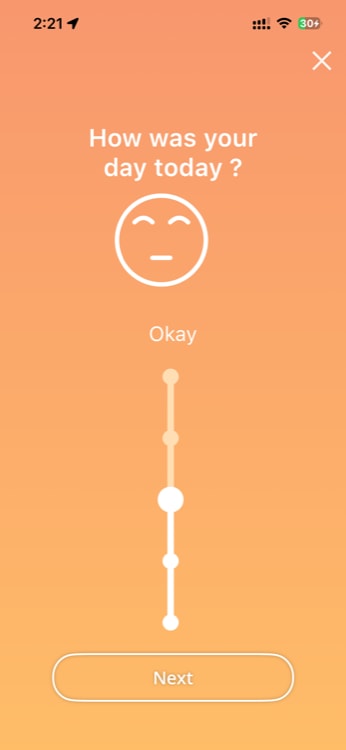
- Select Track Mood.
- Select your mood on a 1-5 scale:
- 1 — Very Low
- 2 — Low
- 3 — Neutral
- 4 — Good
- 5 — Great
- Optionally, select one or more reasons for your mood (e.g., Work, Exercise, Family, Friends, Food, Relationship, Education, Travelling).
- Optionally, add a comment with more detail.
- Tap Save.
Tip: Try logging your mood at the same time each day — for example, during your lunch break or before bed. Consistency makes the patterns easier to spot.
Viewing Your Mood Over Time
Your mood entries are tracked over time and visible in the Trends section of summary page. Look for patterns:
- Do you tend to feel better on days you exercise?
- Does your mood dip on certain days of the week?
- How does sleep quality affect how you feel?
These insights can help you make small adjustments to your routine that improve how you feel day to day.
Note: Your mood data is private to you. It is not visible to your HR admin, manager, or colleagues.
Tips for Mood Tracking
- Be honest — This is for you, not for anyone else.
- Add reasons — They make your historical data much more useful.
- Set a reminder — Go to Settings > Reminder Settings to set a daily mood check-in notification.
Need more help? Contact support from Settings → Help in the app.
Related articles: