Vantage Fit includes a built-in nutrition tracker that helps you log what you eat, count calories, and monitor your macronutrient intake throughout the day.
How to Log a Meal
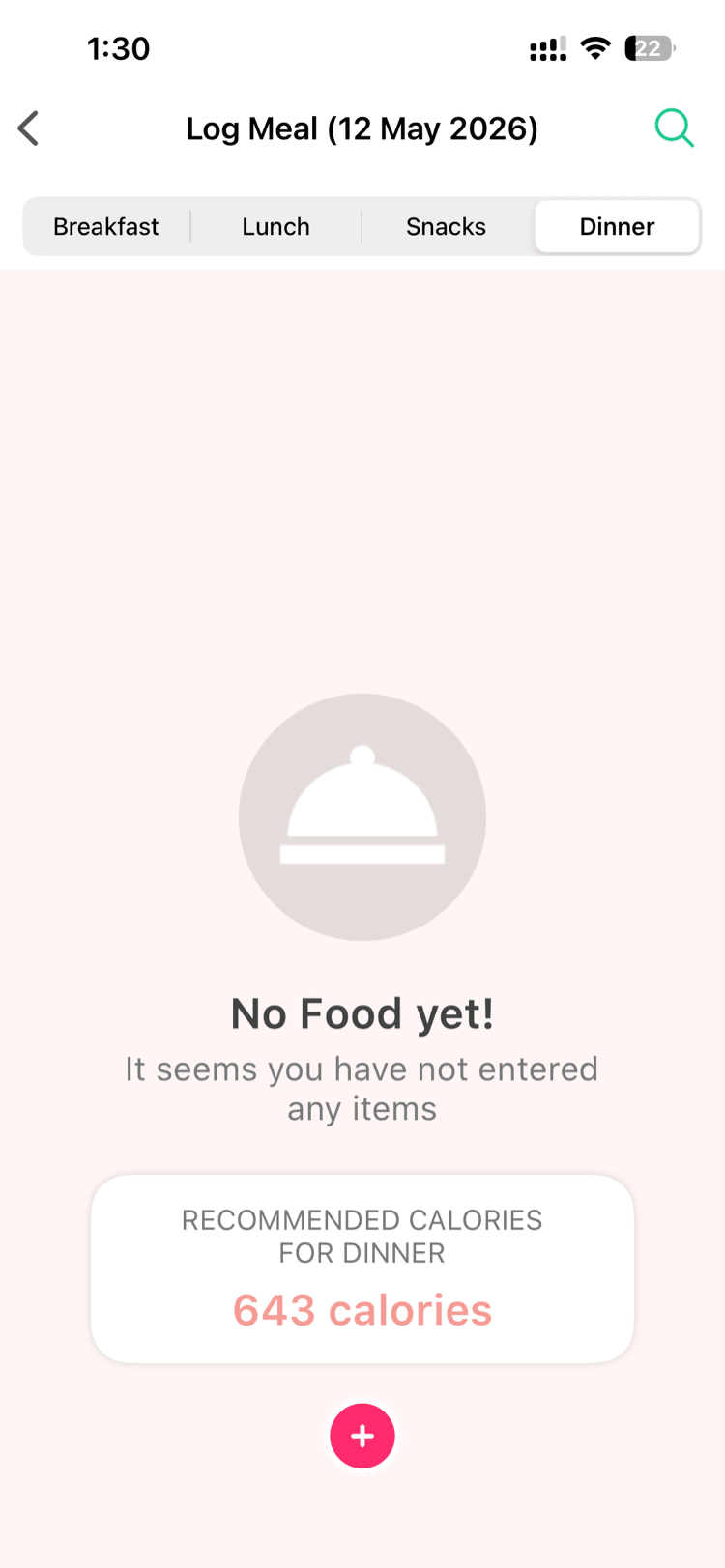
- Tap the Plus (+) button from any screen.
- Select Log Today's Meals.
- Choose the meal time:
- Breakfast
- Lunch
- Snacks
- Dinner
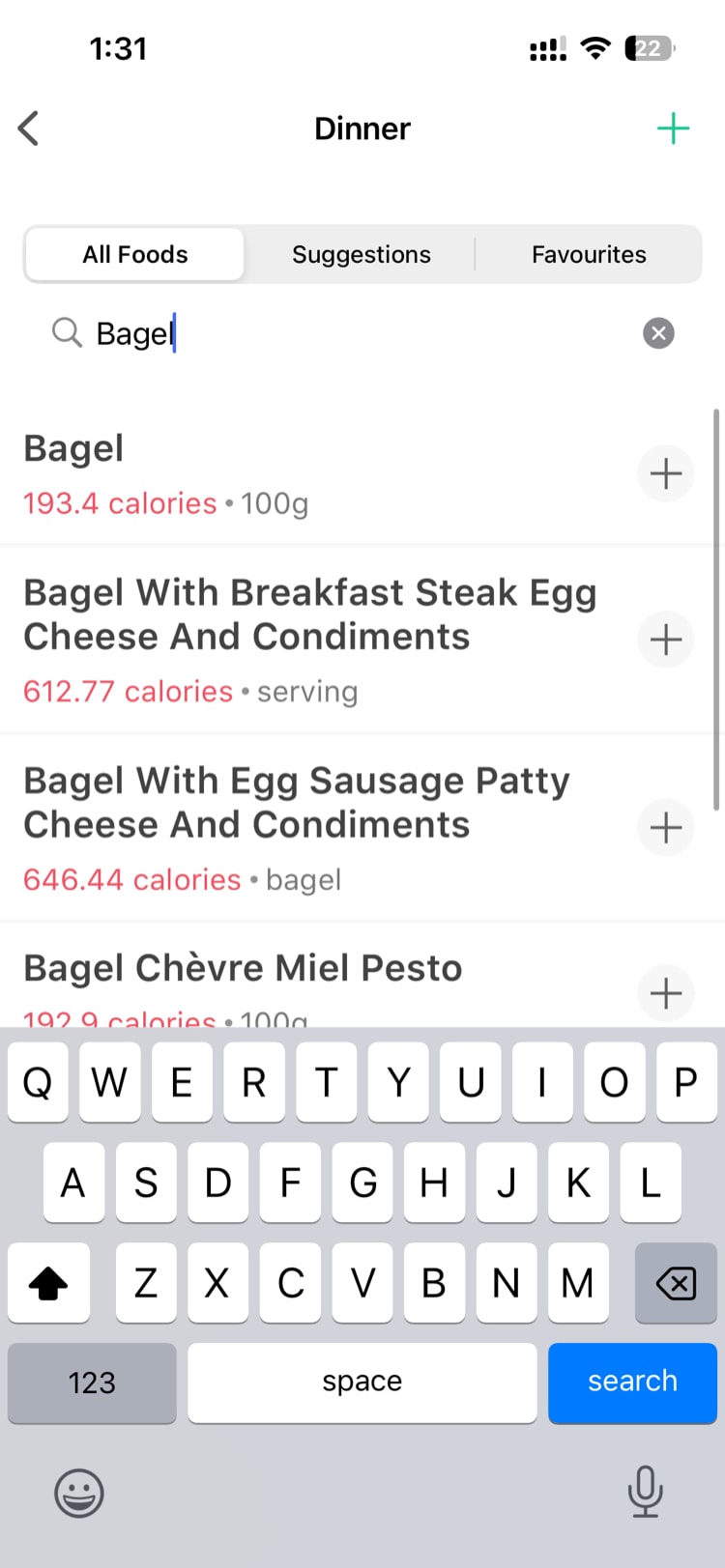
- Search for your food in the database (~3,000-4,000 items available) OR use Manual Entry to type in the food name, calories, and macros yourself.
- Select the serving size and quantity.
- Review the nutrition info displayed:
- Calories
- Protein (grams)
- Carbohydrates (grams)
- Fat (grams)
- Tap Save.
Using the Food Search
The food search looks through Vantage Fit's database of common foods. Type part of the food name and matching results will appear with their nutritional values per serving.
Select a result, adjust the serving size and quantity to match what you actually ate, and the nutrition values will update automatically.
Tip: If you can't find your exact food, pick something close OR use Manual Entry. For manual entry, just type the food name and enter the approximate calories and macros.
Suggesting a Food Item
Don't see your food in the database? Use the Suggest Food Item option to submit it for addition. This helps expand the database for everyone.
Quick Tray
The Quick Tray remembers foods you log frequently. Instead of searching every time, you can quickly pick from your most-used items. The more you log, the smarter your Quick Tray gets.
Daily Nutrition View
After logging meals, your daily nutrition summary shows:
- Calories consumed vs. daily target — a progress bar showing where you stand
- Macro breakdown — protein, carbs, and fat shown as grams and percentage of total intake
This gives you a clear picture of whether you're eating in line with your goals.
Note: Your calorie target is based on your health profile. If you haven't completed your health profile, the app uses a general default.
Tips for Accurate Meal Logging
- Log as you eat — It's much easier than trying to remember everything at the end of the day.
- Use serving sizes honestly — The nutritional accuracy depends on getting the serving size right.
- Don't skip snacks — That handful of nuts or afternoon cookie counts too.
- Set meal reminders — Go to Settings > Reminder Settings to get notified at your usual meal times.
Need more help? Contact support from Settings → Help in the app.
Related articles: